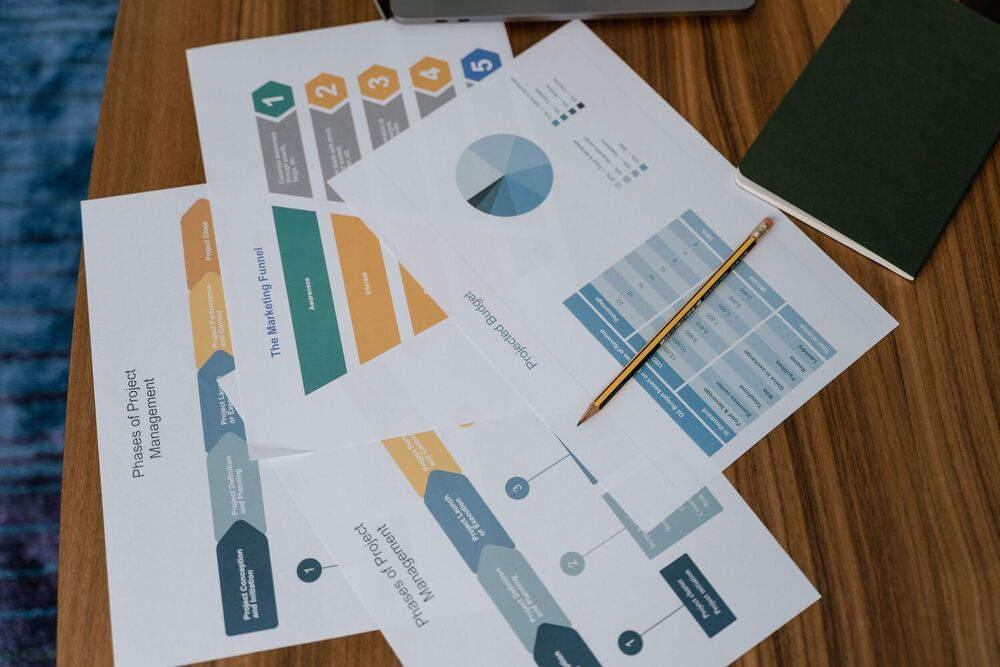
How to Automate Proposal Writing, Sending and Follow-Ups
Writing business proposals can take considerable time, particularly when teams prepare similar documents for multiple prospects. Moreover, manually sending proposals and remembering follow-ups can create delays and missed opportunities. Therefore, businesses can use proposal automation to streamline these activities and create a more organized sales process.
Instead of preparing every proposal from scratch, businesses can create reusable templates, automate document generation, schedule emails, track proposal activity, and send follow-up reminders. Consequently, sales teams can spend more time communicating with prospects and less time handling repetitive administrative work.
What Is Proposal Automation?
Proposal automation refers to using software and digital workflows to simplify the process of creating, sending, tracking, and following up on business proposals. It can connect proposal templates with customer information, pricing details, services, and other relevant data.
For example, a sales representative can select an appropriate template and enter essential prospect information. The system can then populate relevant sections and prepare the proposal for review. Furthermore, proposal automation can help businesses maintain consistent formatting and messaging across different proposals. As a result, teams can produce professional documents more efficiently.
Why Automate Proposal Writing?
Proposal writing often involves repetitive tasks. Sales teams may repeatedly enter company names, customer information, service descriptions, pricing, terms, and contact details. Proposal automation can reduce this repetitive work by using templates and predefined content. Therefore, employees can focus on customizing important sections instead of recreating standard information.
Businesses can benefit from automated proposal writing by:
- Reducing preparation time
- Minimizing repetitive data entry
- Improving document consistency
- Reducing formatting mistakes
- Standardizing important information
- Making templates easier to manage
- Helping sales teams respond faster
- Supporting a more organized sales process
Key Steps for Automating the Proposal Creation and Sending Process
Automating proposal processes can help businesses reduce repetitive work, improve accuracy, and speed up communication with potential clients. The following steps can make proposal creation, approval, personalization, and sending more efficient.
1.Create Reusable Proposal Templates
One of the first steps toward proposal automation is creating standardized templates. Templates provide a structure that sales teams can reuse while still allowing customization for individual prospects. A business can create different templates for different services, industries, customer types, or proposal sizes. For instance, a digital marketing agency may have separate templates for SEO, social media marketing, website development, and paid advertising.
Additionally, templates can contain predefined sections such as company introductions, service descriptions, deliverables, timelines, pricing, terms, and calls to action. However, templates should not make every proposal identical. Sales teams should still personalize important sections according to each prospect’s needs.
2. Automate Customer Information
Manually entering customer information into every proposal can increase the possibility of errors. Therefore, businesses can connect proposal tools with customer relationship management software or customer databases.
This allows information such as:
- Customer names
- Company names
- Contact details
- Business addresses
- Services requested
- Previous interactions
- Sales representative information
to be inserted into proposal documents more efficiently. Consequently, sales teams can spend less time copying information between systems.
3. Use Automated Pricing and Service Information
Pricing can also be standardized within proposal workflows. Businesses can create predefined products, services, packages, rates, and discounts that can be selected when preparing a proposal. For example, a salesperson could choose a specific service package instead of manually typing every item and price.
Furthermore, automated calculations can reduce errors when proposals contain multiple services, quantities, discounts, taxes, or recurring fees. Businesses should still review pricing before sending a proposal, particularly when customized pricing or special terms are involved.
4. Personalize Proposals Automatically
Automation does not mean removing personalization. Instead, businesses can combine automated templates with customized information. A proposal can automatically include the prospect’s name, company information, selected services, pricing, and other relevant details. Meanwhile, the sales representative can customize the introduction, recommendations, and solution description. Therefore, proposal automation can provide efficiency while maintaining a personal approach.
5. Automate Proposal Reviews and Approvals
Some proposals require approval before they are sent to customers. For example, a proposal containing a large discount or customized contract terms may need to be reviewed by a manager. An automated workflow can send proposals to the appropriate person for approval. The system can then notify the sales representative when the proposal has been approved, rejected, or returned for changes. As a result, businesses can reduce unnecessary delays in the approval process.
6. Automate Proposal Sending
Once a proposal has been reviewed, businesses can automate its delivery. Instead of manually attaching documents and writing individual emails, teams can use predefined email templates. The email can include the prospect’s name, a brief message, the proposal, and instructions for reviewing or responding to it. Moreover, automated sending can help sales teams maintain consistent communication while reducing administrative work.
7. Schedule Proposal Delivery
Not every proposal needs to be sent immediately. Businesses can schedule proposals according to their sales process or communication strategy. For example, a salesperson may prepare a proposal in the afternoon and schedule it to reach the prospect at an appropriate time. Similarly, businesses can schedule proposals based on specific stages of a sales process. This can make proposal delivery more organized and predictable.
8.Track Proposal Activity
Sending a proposal does not necessarily mean that the prospect has reviewed it. Therefore, businesses can use proposal automation tools that provide activity information. Depending on the system, businesses may be able to see whether a proposal has been opened, viewed, downloaded, or accepted.
This information can help sales representatives understand when additional communication may be appropriate. For example, if a prospect has viewed a proposal but has not responded, the salesperson may decide to send a relevant follow-up.
9. Automate Follow-Up Emails
Following up is one of the most important parts of the proposal process. However, sales representatives may forget to follow up when they are managing many prospects. Proposal automation can schedule follow-up messages based on specific time periods or customer actions.
For example, a business could create a workflow that sends a reminder several days after a proposal is delivered. If there is still no response, another message could be scheduled later. Consequently, sales teams can maintain consistent follow-up without relying entirely on manual reminders.
10. Personalize Automated Follow-Ups
Automated follow-ups should still feel relevant and useful. Generic messages sent repeatedly may reduce engagement. Therefore, businesses should create different follow-up templates for different situations. A prospect who has opened a proposal may receive a different message from someone who has not viewed it.
Follow-ups can also address common questions, highlight important benefits, offer clarification, or invite the prospect to schedule a discussion. This approach allows automation to support communication without making it feel entirely impersonal.
11. Use Triggers for Follow-Ups
Triggers can make automated workflows more responsive. A trigger is an event that starts a specific action. For example, a system could trigger a follow-up when:
- A proposal is opened
- A proposal is viewed multiple times
- A proposal remains unopened
- A proposal is approaching its expiration date
- A customer requests additional information
- A proposal is accepted
- A proposal is rejected
By connecting these triggers to appropriate actions, businesses can create more structured sales workflows.
Common Proposal Automation Mistakes
Although automation can improve efficiency, poor implementation can create new problems. Businesses should therefore avoid:
- Using outdated proposal templates
- Sending proposals without human review
- Creating overly generic proposals
- Sending too many follow-ups
- Ignoring customer responses
- Using incorrect customer information
- Failing to secure proposal data
- Not monitoring proposal performance
A well-designed workflow should support employees rather than create unnecessary complexity.
How to Implement Proposal Automation
Businesses can introduce automation gradually to improve efficiency without disrupting existing sales processes. Key steps include:
- Identify repetitive tasks: Find proposal activities that consume significant time.
- Document the current workflow: Map each step from proposal creation to follow-up.
- Choose suitable automation tools: Select tools that match the business’s proposal and sales requirements.
- Create reusable templates: Develop templates for different services, customers, or industries.
- Connect customer information: Integrate proposal tools with CRM systems or customer databases.
- Automate sending and follow-ups: Set up workflows for proposal delivery and scheduled reminders.
- Train employees: Ensure team members understand how to use and manage the automated workflows.
- Monitor and improve: Review performance and make adjustments based on employee feedback and results.
When Should a Business Automate Proposal Processes?
Businesses can consider automation when proposal management becomes time-consuming or difficult to handle manually. It may be particularly useful when:
- Preparing many proposals: Automation can reduce the time required to create and send multiple documents.
- Managing a large sales pipeline: Automated workflows can help teams keep track of numerous prospects.
- Handling repetitive tasks: Businesses can reduce manual work involved in creating and sending proposals.
- Missing follow-ups: Automated reminders can help sales teams maintain consistent communication.
- Managing scattered information: Integration can bring customer and proposal information into a more organized workflow.
- Needing faster responses: Automation can help businesses send proposals more efficiently.
- Maintaining document consistency: Templates can help standardize important proposal information.
- Tracking proposal activity: Businesses can monitor proposal views, responses, and other engagement information.
Streamline Your Proposal Process With The PK Digital
Proposal automation can help businesses simplify proposal creation, organize customer information, speed up delivery, schedule follow-ups, track engagement, and improve sales workflows. Moreover, it can reduce repetitive administrative work while allowing sales teams to focus more attention on prospects and customers. However, successful automation requires appropriate tools, clear workflows, accurate information, personalization, and regular monitoring. Businesses should therefore automate repetitive tasks while maintaining human oversight where judgment and communication are important. If your business needs practical digital solutions for automation, marketing, website development, or business growth, The PK Digital can help you identify suitable strategies and tools. Visit thepkdigital.com to explore digital solutions designed to help your business streamline operations, improve customer engagement, and achieve its goals.